
Charging Cables in Carry-On 2026: Skip the Cable Chaos at Security
 4 min read
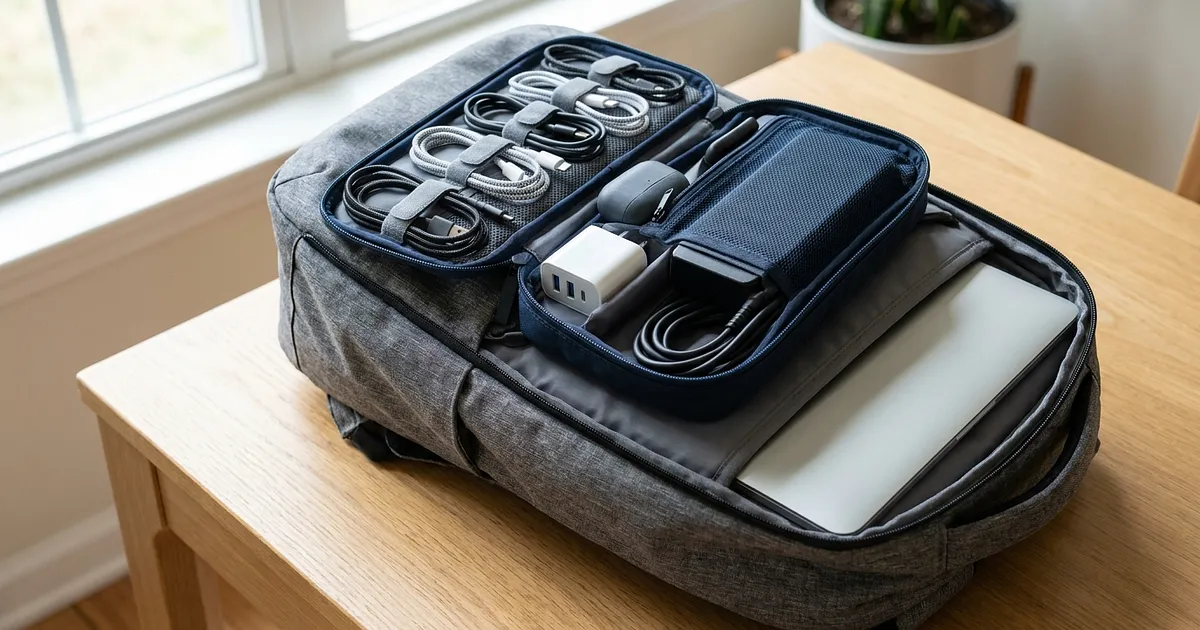
Charging cable carry-on packing is no problem in 2026, and neither is a phone charger carry-on setup or any other travel electronics. That part's settled, only power banks have their own watt-hour limits, we've got a separate post on power bank watt-hour limits for that. What nobody tells you is how to pack your cable chaos so the checkpoint doesn't turn into a waiting game.
That's actually where the real hassle sits. The TSA generally warns that cluttered bags slow down airport security electronics screening, and a tangled cable mess is no exception. Allowed and fast aren't the same thing.
Charging cables in your carry-on: get a dedicated pouch, not loose cables
One slot per cable, one velcro strap per charger, done. That's the difference between two minutes of digging at the gate and one grab, more on that idea in our carry-on packing tips. The right cable organizer travel pouch keeps every cable in its own slot instead of one tangled ball at the bottom of your bag.
More compartments for a lot of gear
The UGREEN Electronics Travel Cable Bag, Portable Cable Organiser Bag (L), Two-part electronics accessories case for cables, charger, power bank, tablet keeps your laptop charger, phone cable, and headphones in separate compartments, that stays organized even with five or six cables in there.

Affiliate link. Buying through it earns us a commission; the price stays the same for you.
Smaller and cheaper
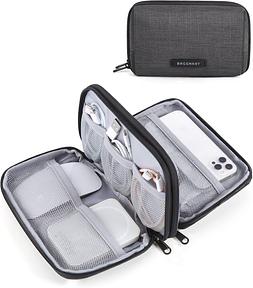
Want something more compact, the BAGSMART Cable Bag Organiser Travel Bag for Electronics Organiser Waterproof Accessories for Mobile Phone Charging Accessories, Black with its clever dividers makes more sense, ideal for travelers carrying less tech.
Affiliate link. Buying through it earns us a commission; the price stays the same for you.
Group by device, not by whatever fits
Laptop charger, phone cable, headphones, camera charger: dumping them all into one pocket saves time now and costs you twice as much later. One slot per device, and you know exactly where everything is when you unpack.
Pack loosely, don't let it knot up
Coil each cable on its own and lay it in loosely rather than letting it twist into one clump with your headphones and chargers, one of the simplest ways to avoid cable clutter altogether. Travel packing sites like Travel Fashion Girl recommend exactly that: coil first, secure it, then pack it. Skip that step and everything tangles right back up, often within the hour.
Keep your laptop and its charger within reach
Germany's federal police, the Bundespolizei, advises pulling larger electronics out of your carry-on before you even reach the checkpoint. That only works if your laptop and charger aren't buried at the bottom of your backpack.
A CT scanner won't save you here either, by the way. The CT scanner rules for laptops only cover laptops and liquids themselves, according to Simpleflying, not the cable mess around them. And as of July 2026, only 1,162 of those scanners were installed across 296 US airports, so it's nowhere near universal yet.
The difference is two minutes
In the end, this was never about whether you're allowed to bring your cables, you always were. It's about whether you're digging through your bag at the gate while the line behind you grows. Avoiding cable clutter really just comes down to packing smart: a cable pouch, coiled cables, laptop within reach, three minutes of packing that saves you time at every single checkpoint after. For the full picture of what else you can bring in your carry-on, check our complete guide.
All products from this post
The ones we named above are marked; the rest are alternatives in the same category.
Affiliate notice: As an Amazon Associate, we earn from qualifying purchases. Product prices and availability are subject to change.
Frequently Asked Questions
Are charging cables allowed in carry-on bags?
Yes. Charging cables and chargers for laptops, phones, or headphones are allowed in carry-on without restriction, and in checked bags too.
Do charging cables have to go in carry-on, or can I check them?
Either works. The one exception is lithium power banks, which must stay in your carry-on only.
How do I pack cables so they don't tangle?
A cable pouch with separate compartments works best, with each cable coiled and secured rather than tossed in loose.
Do I need to show my laptop charger separately at security?
Usually not on its own, but the laptop itself often has to come out of the bag. Keeping the cable and charger within reach speeds that up.
Can a tangled mess of cables trigger a manual bag check?
It can. The TSA generally warns that cluttered bags are harder to X-ray, and a tangled cable knot in your carry-on can lead to a manual follow-up check.